


How to temporarily block access to ACLEDA mobile
|
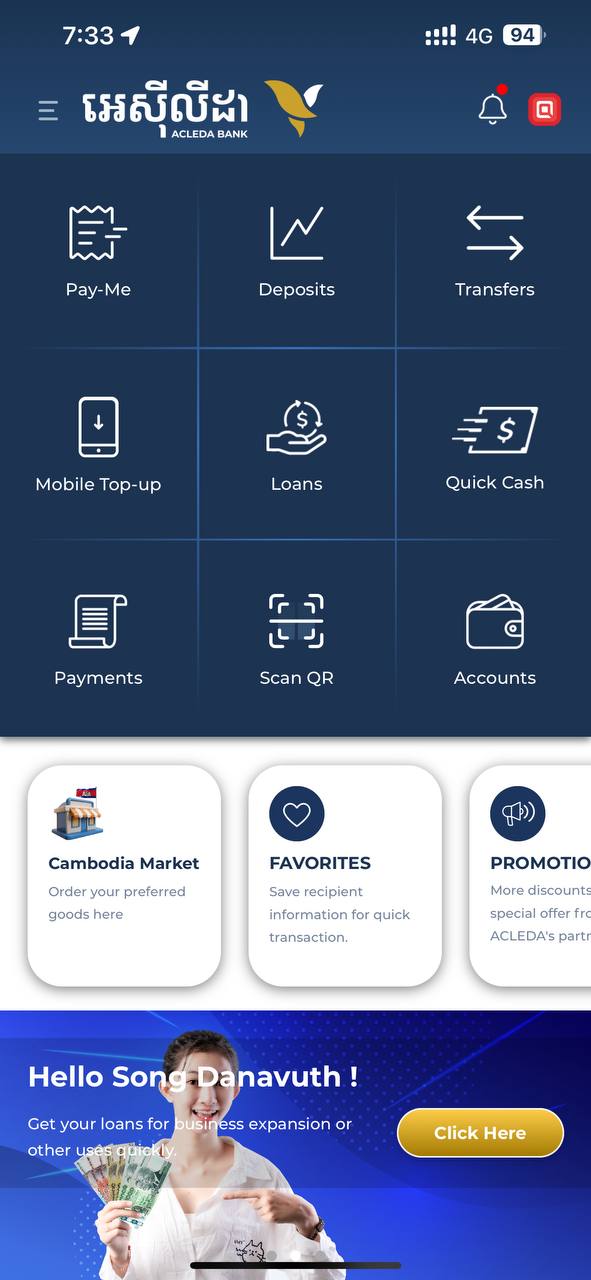 |
| 2. Select "Settings" | 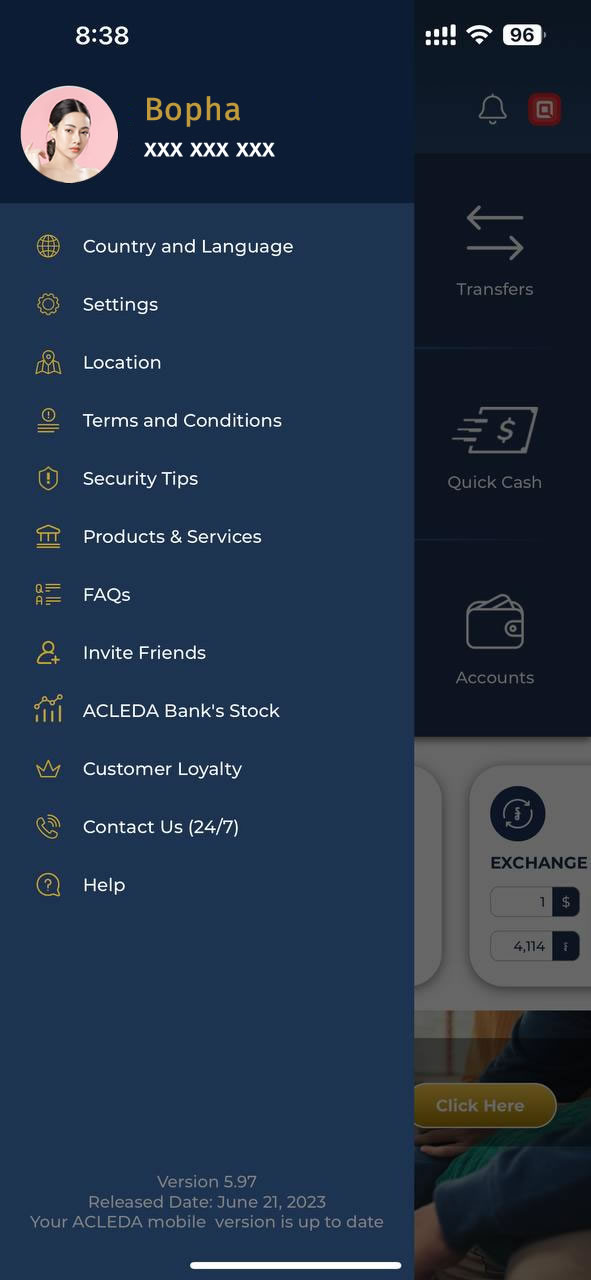 |
| 3. Select "Block ACLEDA mobile" | 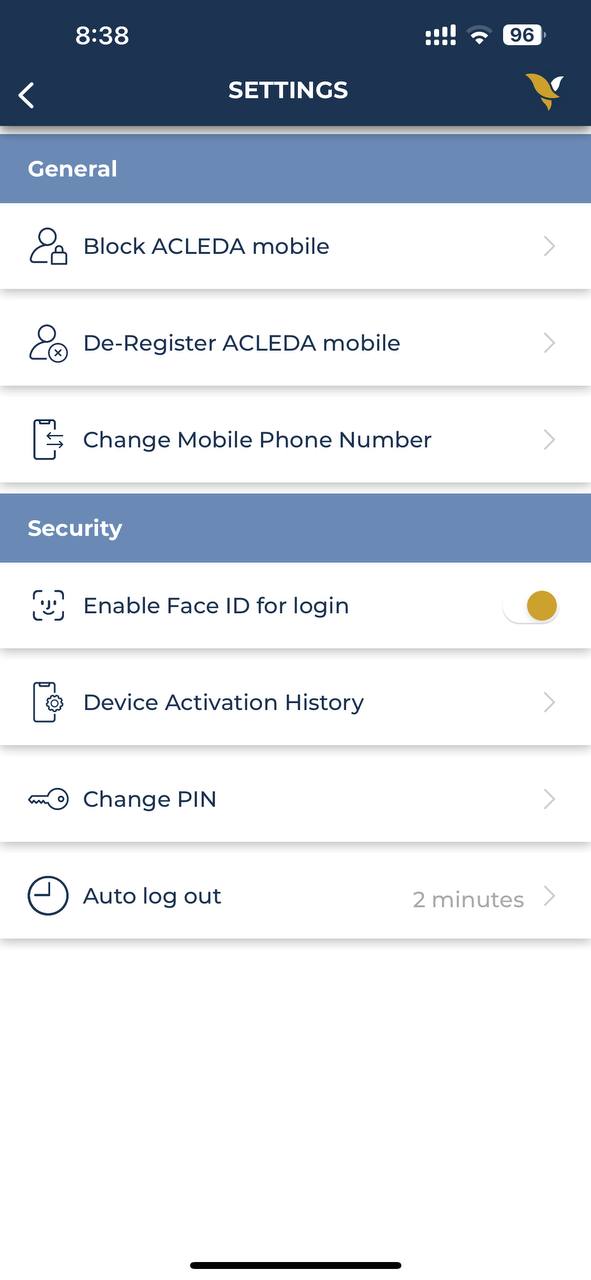 |
| 4. Use Touch ID, Facial, or enter PIN to login | 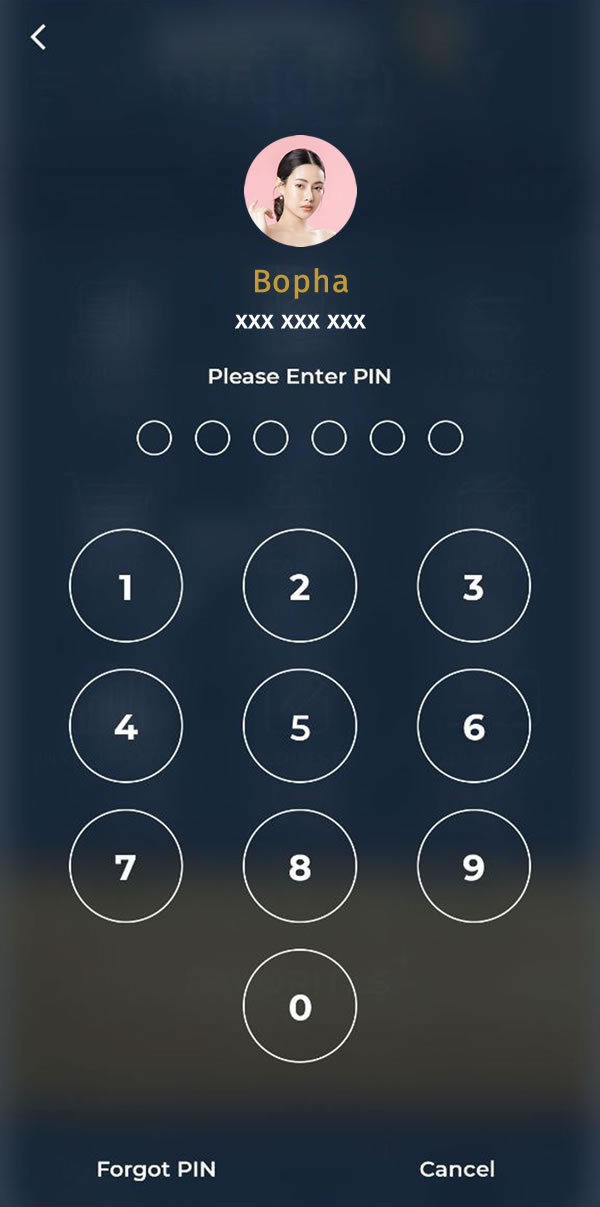 |
|
 |
| 6. Press "Yes" button to confirm |  |
| 7. Your account block is completed |  |