share
close
close

Share this page on:


Facebook

LinkedIn

Twitter

Telegram

Line

How to add ACLEDA widgets

I. For iPhone/iOS

  1. 1.1. Press and hold on the phone screen
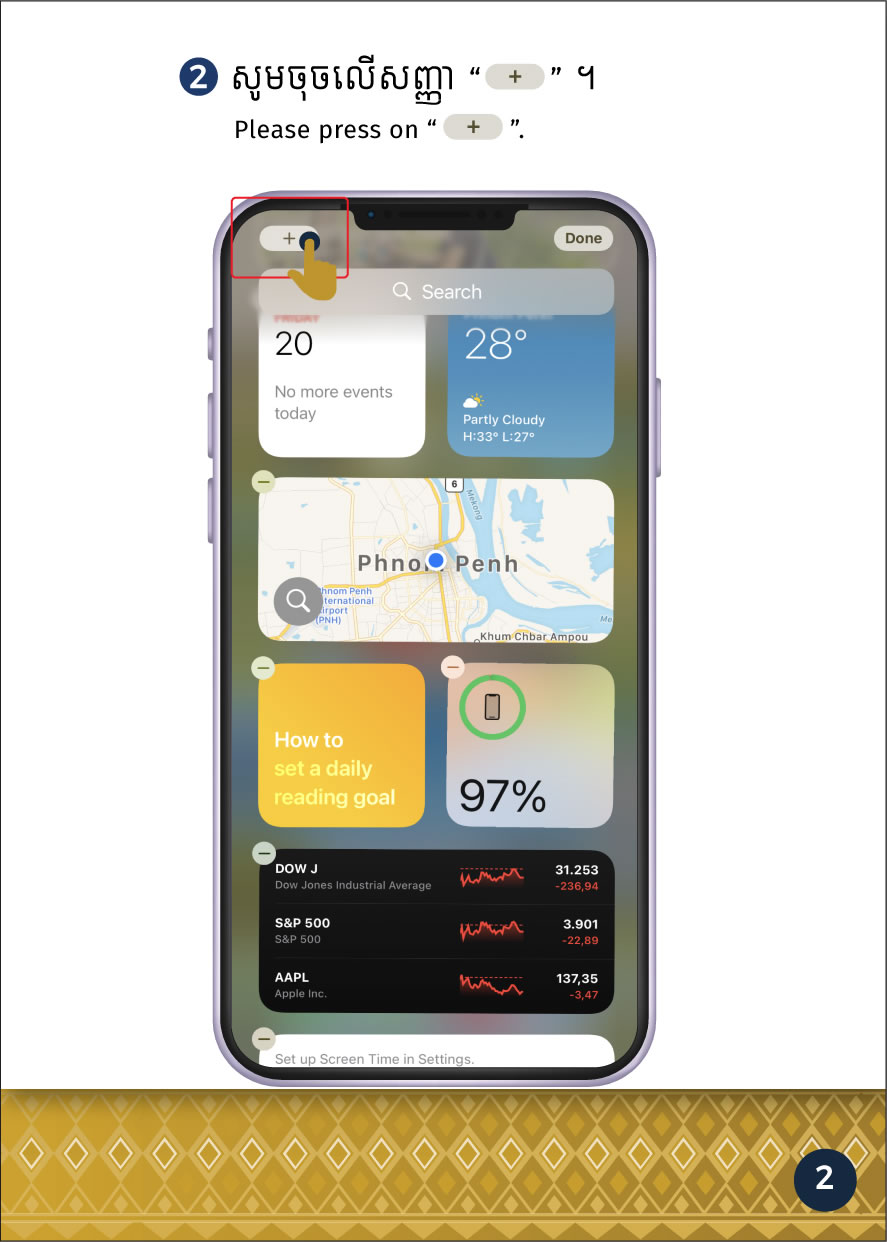
  2. 1.2. Press "Edit"
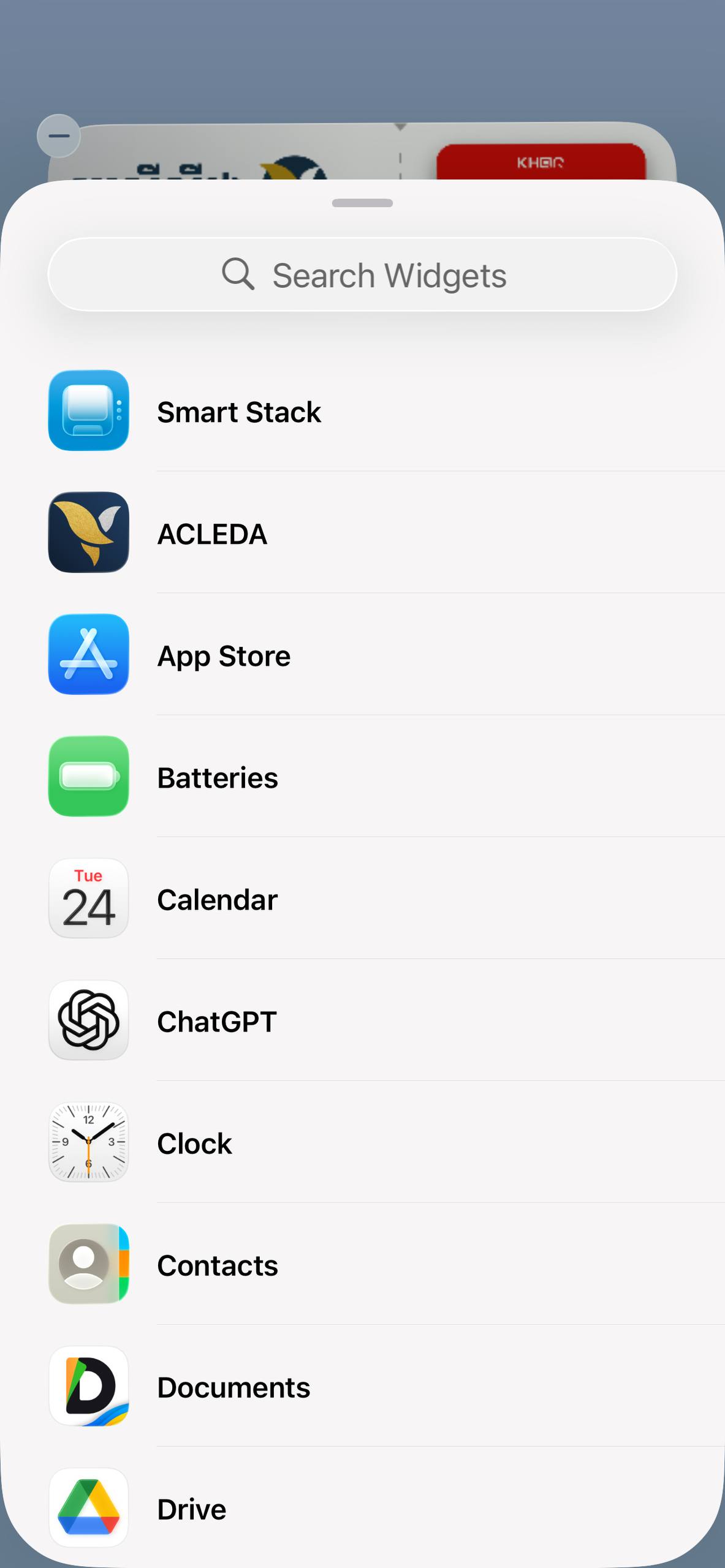
2. Choose "Add Widget"
3. Choose "ACLEDA"
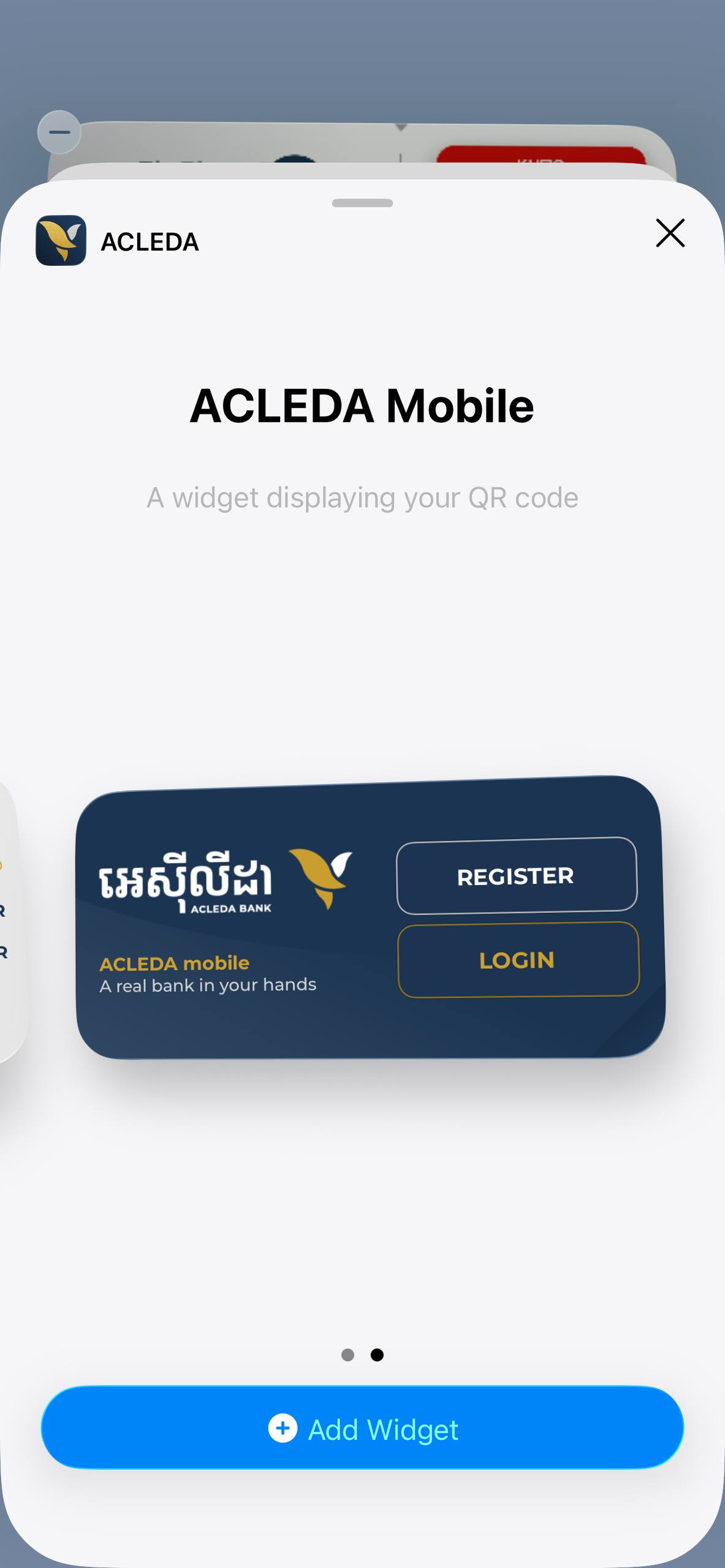
  1. 4.1. Select ACLEDA Widgets (KHQR & Exchange Rate)
  2. 4.2. Press "Add Widget"
II. For Android Phone

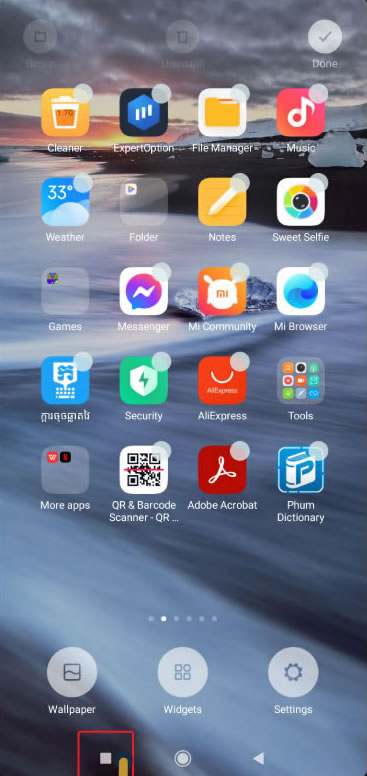
  1. 1.1. Press and hold on the phone screen
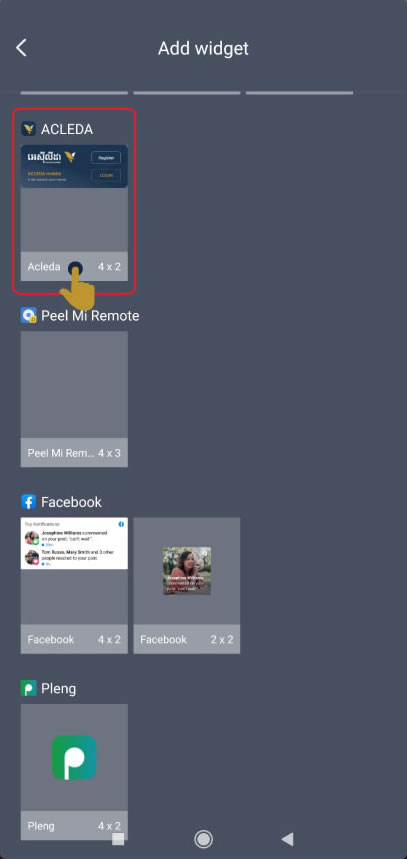
  2. 1.2. Choose "Widgets"
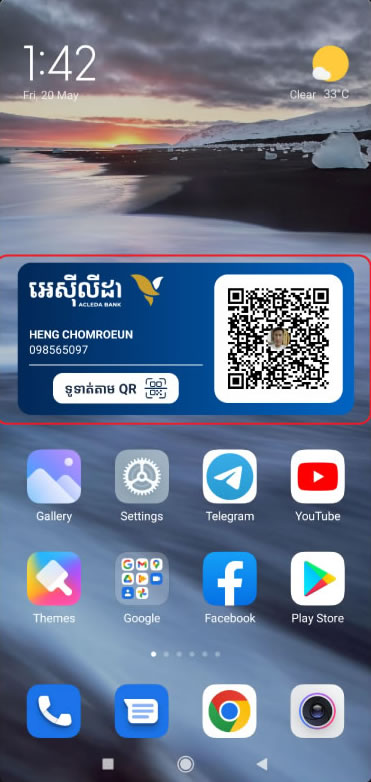
2. Select ACLEDA Widgets (KHQR & Exchange Rate)
3. Press "Add Widget"