



How to set amount in KHQR widget for iPhone/iOS
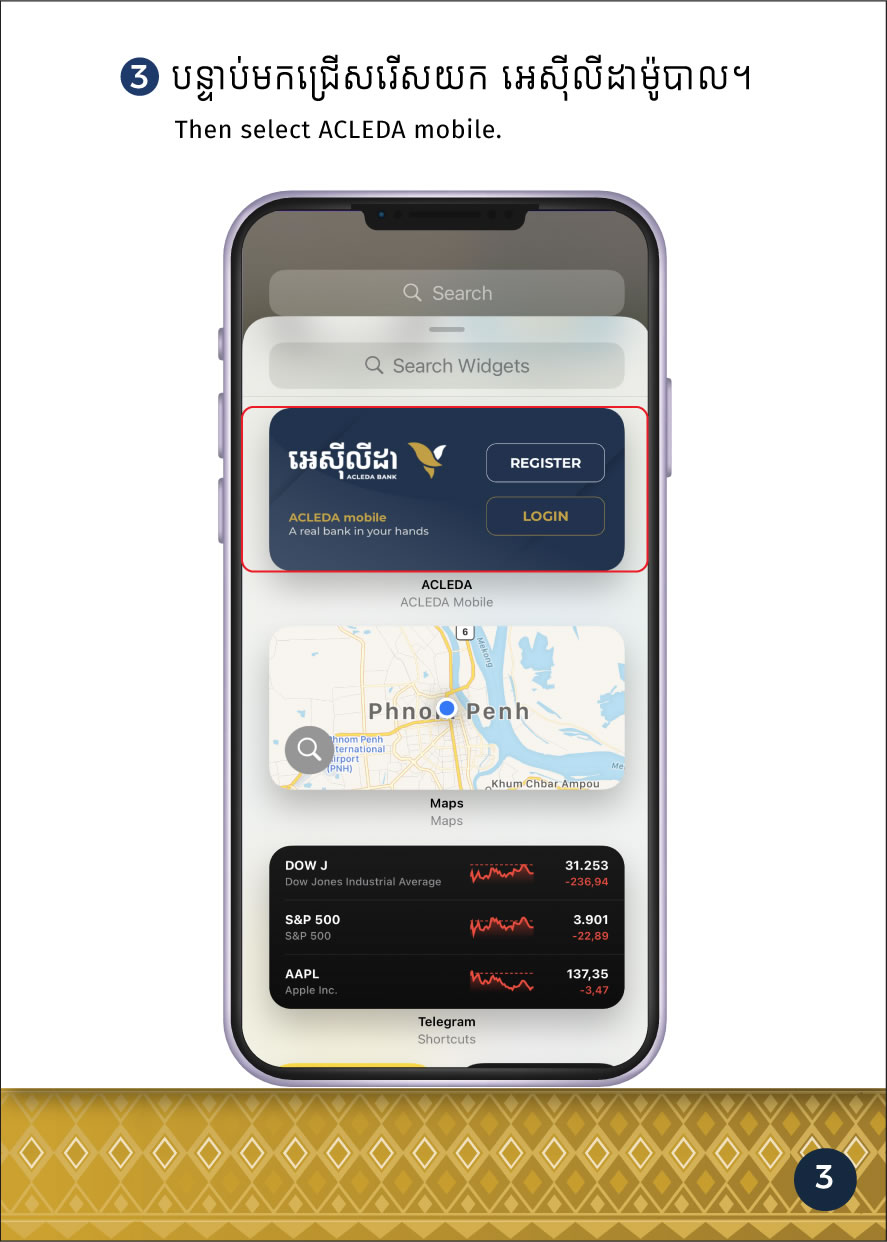
verifiedYou can add "KHQR Widget" on your iPhone screen and can set amount in KHR or USD as needed to receive money from all banking apps conveniently.
|
 |
| 2. Choose "ACLEDA" |  |
| 3. Choose "ACLEDA QR Set Amount" |  |
|
 |
| 5. Choose "Add Widget" | 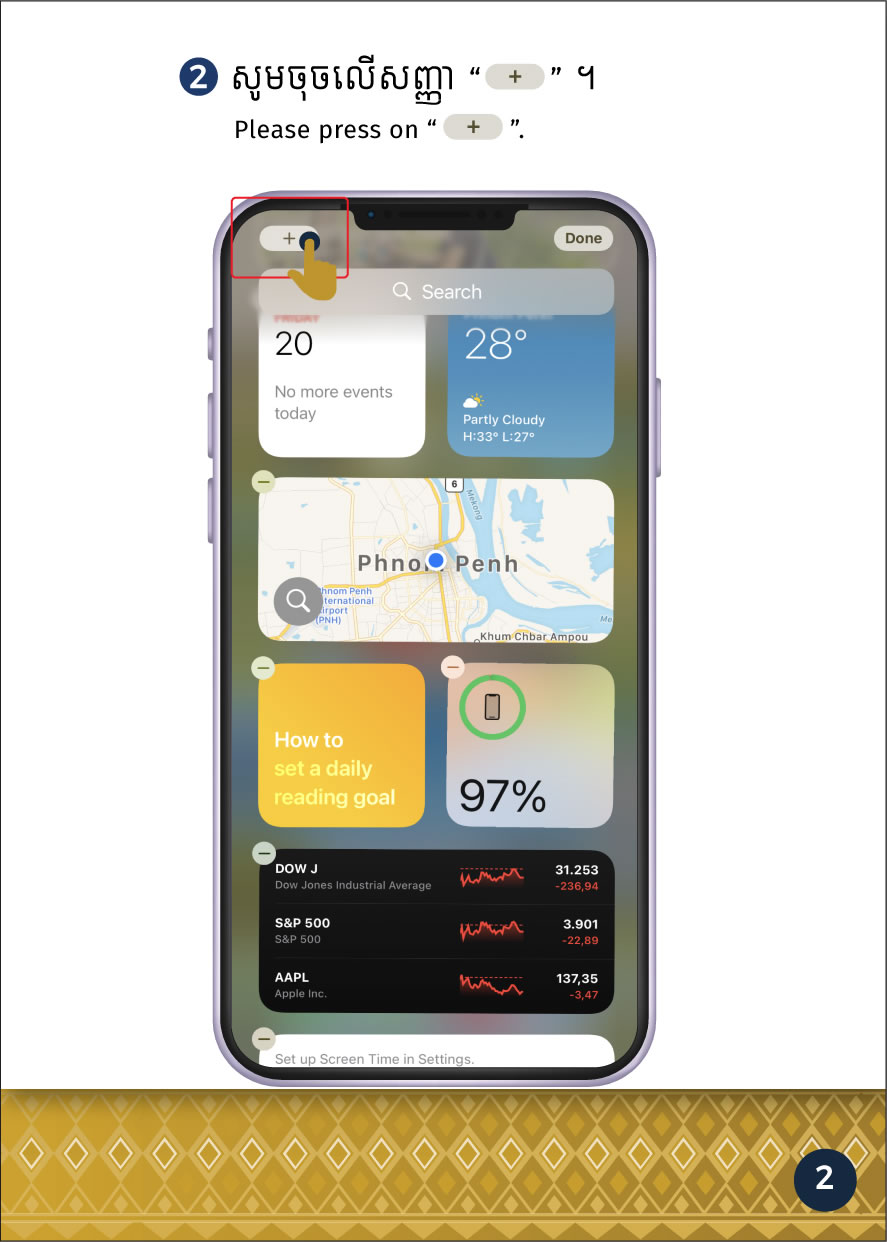 |
| 6. Choose "Shortcuts" | 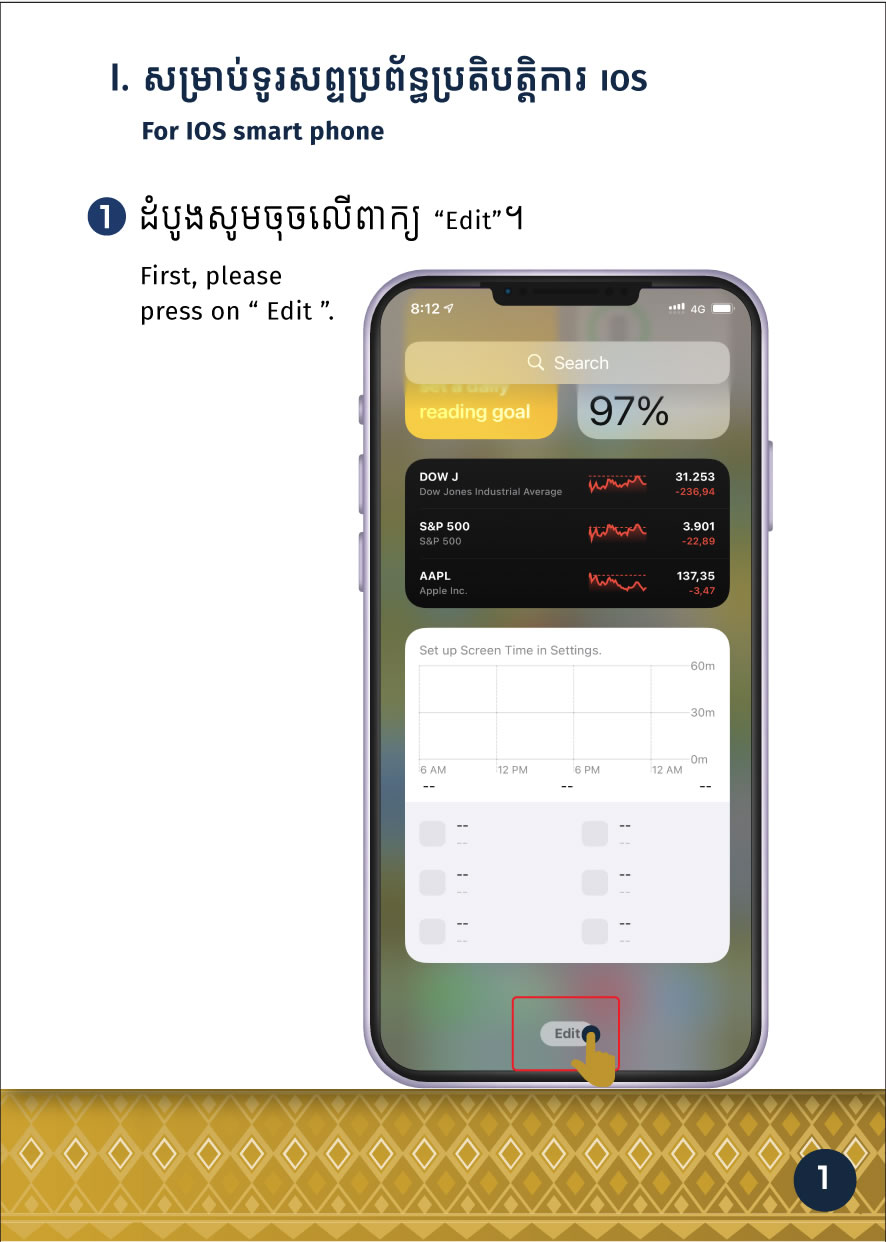 |
|
 |
| 8. Press "ACLEDA QR Set Amount" | 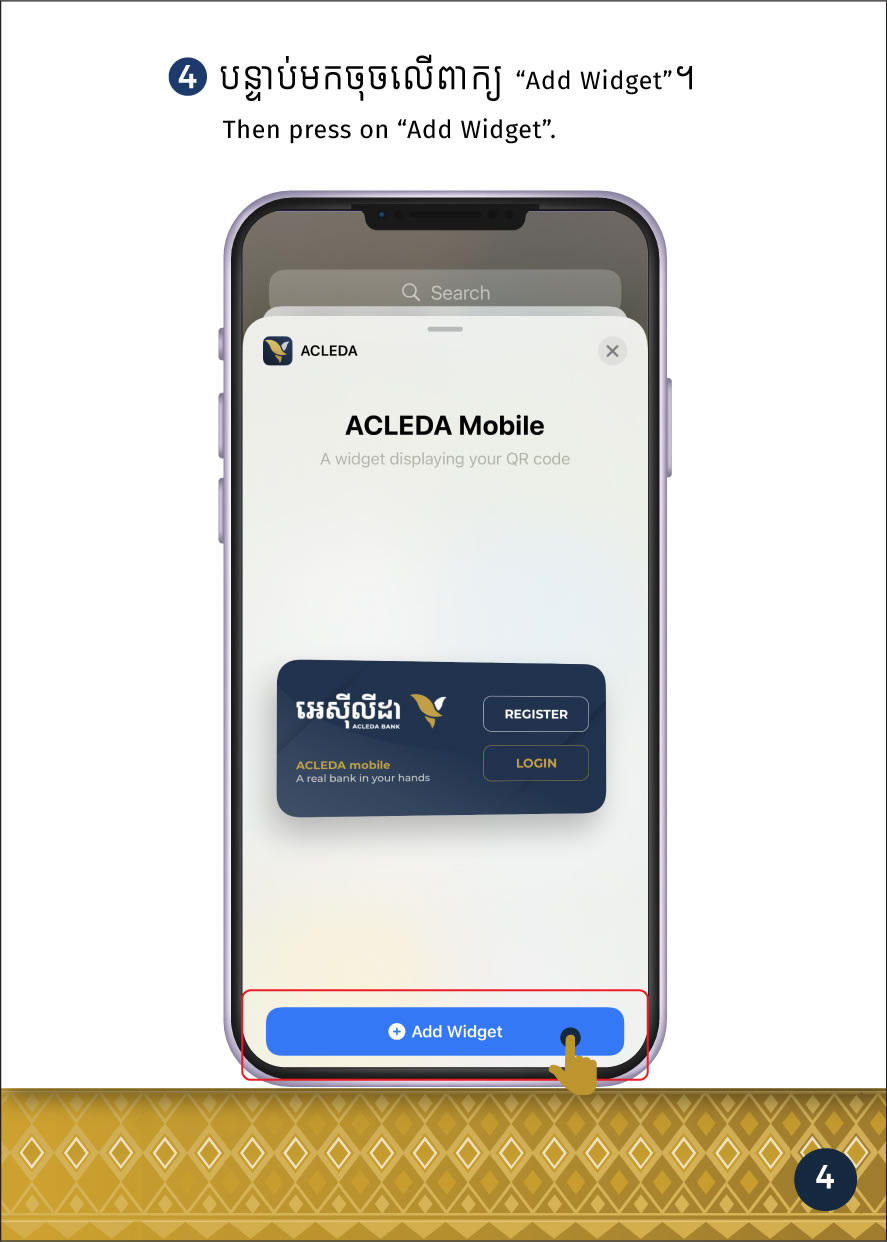 |
| 9. Select account receive money |  |
|
 |
| 11. The system will display KHQR with amount for receiving money from all banking apps. |  |