close
language
ភាសាខ្មែរ
English
中文
Corporate Banking
How to view list of term deposits
Login
ACLEDA Internet Banking
Press
menu
menu
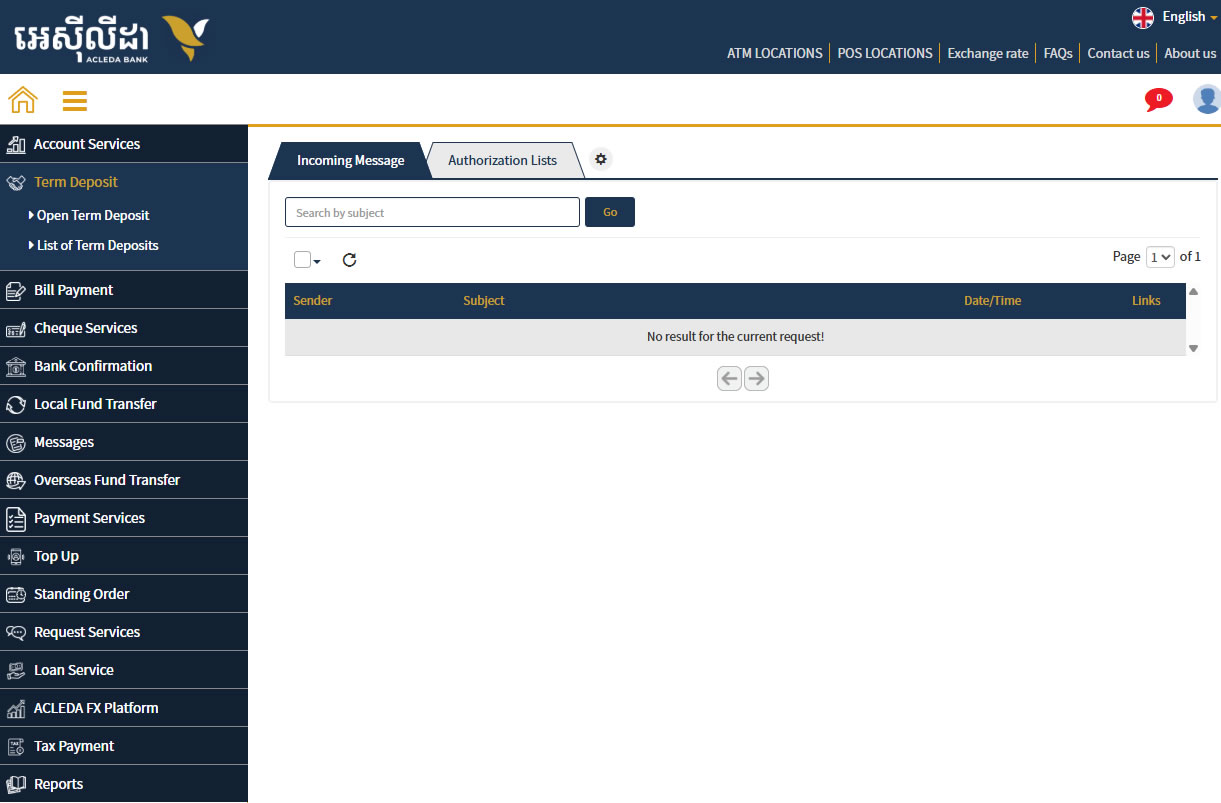
Choose "
Term Deposit
" menu
Choose "
List of Term Deposits
"
Choose "
Active List
"
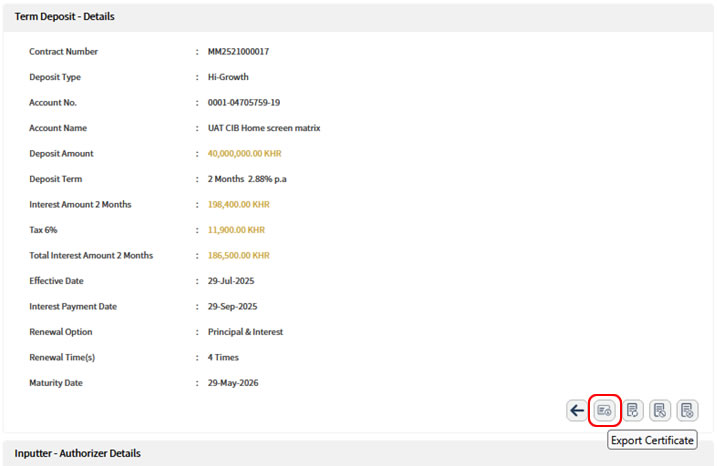
Press Eye Icon
visibility
to view Term Deposit details
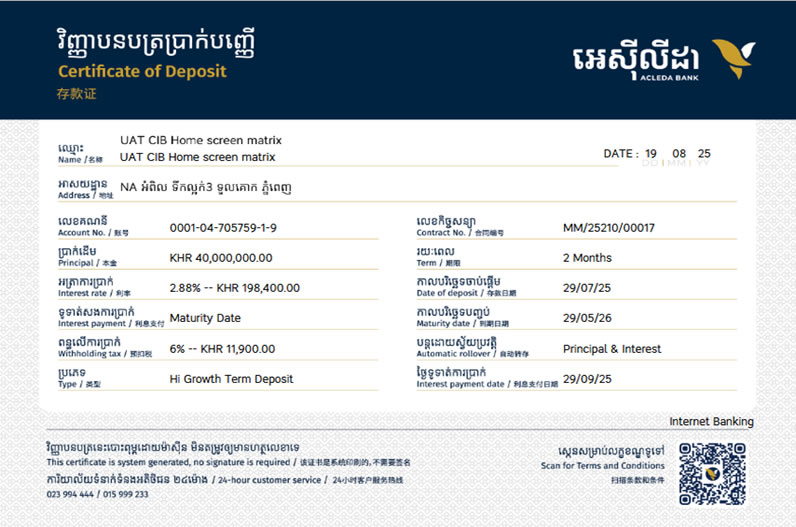
Press Certificate Icon at the bottom right to display the Certificate of Deposit

 ភាសាខ្មែរ
 English
 中文
中文